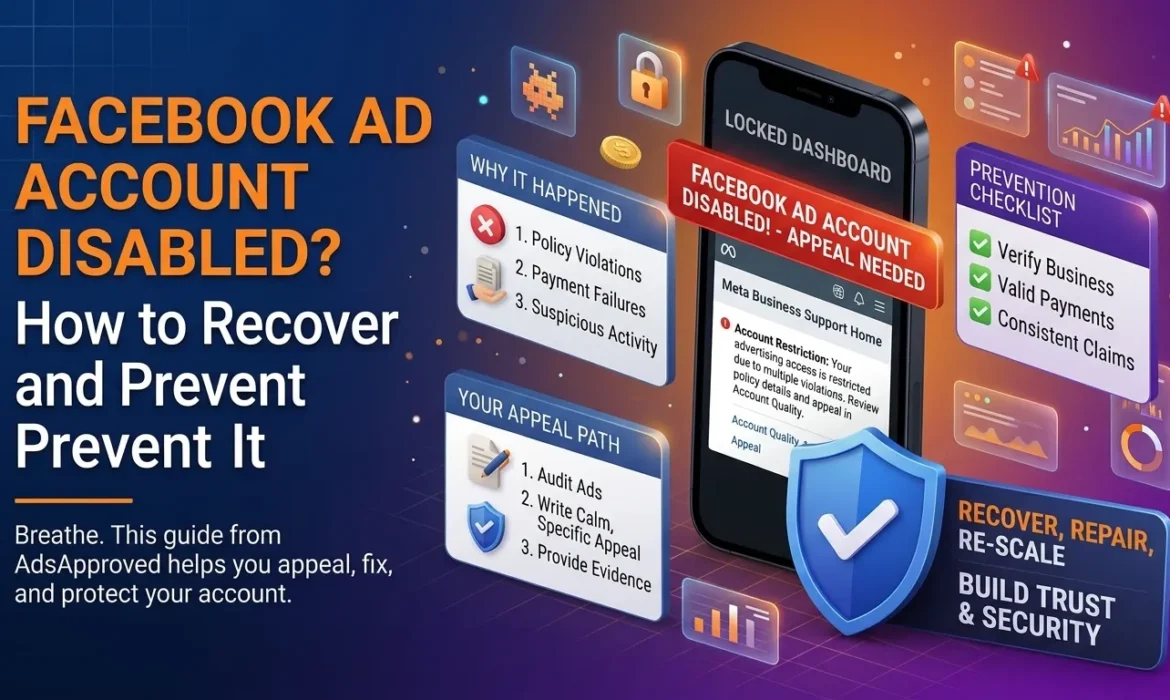
You open Ads Manager and there it is. A red banner, a locked dashboard, and a message saying your ad account has been disabled. Maybe you had campaigns running. Maybe you had money sitting in the account. Either way, your stomach drops.
First, breathe. A disabled Facebook ad account is stressful, but it isn’t always the end. Plenty of accounts get restored, and plenty of bans are avoidable in the first place.
This guide walks you through why accounts get disabled, what to do in the first 24 hours, how to write an appeal that actually gets read, and how to keep it from happening again.
Why Facebook Disables Ad Accounts
Meta doesn’t usually disable accounts at random, even when it feels that way. Most cases trace back to a handful of causes.
Advertising policy violations. Misleading claims, prohibited products, personal-attribute language (“Are you struggling with debt?”) and before-and-after imagery are repeat offenders. A few rejected ads is a warning. A pattern of them puts the whole account at risk.
Circumventing systems. This is the serious one. If Meta believes you’re hiding what a reviewer sees from what a visitor sees, or dodging its review process in some other way, expect harsh treatment. Accounts flagged for this are the hardest to recover.
Payment problems. Failed charges, disputed payments and suspicious card activity can all trigger a disable.
Suspicious login activity. Logging in from several countries in a short time, sharing credentials, or using a hacked profile can make the account look compromised.
Problems with your Business Manager or personal profile. Your ad account is tied to the people and assets connected to it. If your personal profile gets restricted, your ad account can go down with it.
Unverified or mismatched business details. If the name, website and payment details don’t line up, Meta has less reason to trust you.
Here’s a quick scenario. Say you run a small supplement shop. You’ve had a few ads rejected for health claims, and you’ve been resubmitting them with slightly different wording. Then one morning the account is gone. From Meta’s side, that looks like someone testing the boundaries repeatedly. From yours, it felt like normal troubleshooting. That gap in perception is where a lot of bans come from.
First Things to Do When Your Account Is Disabled
What you do in the first day matters. Here’s the order that makes sense.
1. Read the notice carefully. Look for the policy mentioned, the date, and whether the notice says you can request a review. The wording tells you what you’re up against.
2. Check Account Quality. In Meta’s Business Support Home (previously called Account Quality), you can see which ads were rejected, which policies were cited, and whether your account or assets are restricted. This is your best evidence of what actually went wrong.
3. Stop making changes in a panic. Don’t create a new ad account the second you’re disabled, and don’t launch duplicate campaigns from other profiles. That can look like evasion and make things worse.
4. Secure your access. Turn on two-factor authentication, check who has admin access to your Business Manager, and remove anyone who shouldn’t be there. If the cause was suspicious logins, fix that before you appeal.
5. Audit your ads, landing pages and website. Look at every ad and page that was live. Be honest with yourself. Is there a claim you can’t back up? A missing privacy policy? A landing page that doesn’t match the ad?
How to Appeal a Disabled Facebook Ad Account
The appeal is where most people lose. They rush it, write something angry, or send the same generic message five times.
Use the official review option. Request a review through the notice or Business Support Home.
Be calm and specific. Explain what you believe happened, what you’ve fixed, and what you’ll do differently. Skip the rants. A real person might read this, and they read hundreds a day.
Show your evidence. Where it applies, attach or reference business registration documents, proof of identity, product certifications, updated landing pages and a clear refund policy.
Don’t spam the appeal button. Submitting over and over rarely helps and can slow things down. Send a solid appeal and wait for the response.
Take verification steps if offered. If Meta asks you to confirm your identity or business, do it promptly. A consistent business identity across your account, website and payment method helps build trust.
Know when it’s not coming back. Some disables are final, especially after repeated or severe violations. If your appeal is rejected and the notice says the decision is final, the practical move is to fix the underlying problems and build a clean presence going forward, without breaking Meta’s rules about creating new accounts to get around a ban. Trying to dodge the restriction is the quickest way to make it permanent for your business, your profile and your payment methods.
What a Strong Appeal Looks Like
Here’s the kind of tone that works. It’s short, calm and focused on what changed:
Hello, my ad account was disabled for a policy violation. I reviewed my ads and found that some of them used health claims I couldn’t substantiate. I’ve removed those ads, updated my landing pages, and added a clear refund policy and contact page. I’ve also set up two-factor authentication and limited admin access. I’d appreciate a review of my account. Thank you.
Notice what’s missing: no blame, no drama, no long story. Just what happened, what you fixed, and a polite ask.
How to Prevent Your Ad Account From Being Disabled
Recovery is painful. Prevention is cheap. These habits go a long way.
- Learn the policies for your category. Health, finance, crypto, dating and gambling each have extra rules.
- Keep your claims honest. If you can’t prove it, don’t promise it.
- Make your landing page match your ad. Same offer, same product, same tone.
- Don’t resubmit rejected ads over and over. Find out why, fix it properly, then resubmit. Cycling through tiny tweaks looks like probing.
- Keep payments clean. Use a valid payment method that belongs to the business, keep it funded, and respond quickly to failed payment notices.
- Protect your logins. Use two-factor authentication, don’t share passwords, and give people access through Business Manager roles.
- Verify your business. Consistent details across your page, website and payment method make it easier for Meta to trust you.
- Check Account Quality regularly. A quick weekly look can show you warnings while there’s still time to fix them.
- Have a backup plan. SEO, email, organic social and other channels mean one bad day doesn’t sink you.
What Not to Do When Your Account Gets Disabled
A short list of mistakes that make things worse:
- Opening several new ad accounts straight away
- Using hacked, purchased or borrowed accounts to keep running ads
- Submitting an appeal full of anger or threats
- Hiding the real content of your pages from reviewers
- Ignoring the notice and hoping it goes away
Shortcuts like these tend to turn a fixable problem into a permanent one.
FAQs
How long does a Facebook ad account appeal take?
It varies. Some reviews come back within a day or two, while others take longer. There’s no guaranteed timeline, so avoid resubmitting repeatedly while you wait.
Can I get my disabled Facebook ad account back?
Sometimes. Accounts disabled over fixable issues, such as payment problems, suspected compromise or a one-off ad violation, are restored more often than those banned for repeated or severe violations. Nothing is guaranteed.
Will I lose my money and data if my ad account is disabled?
You may lose access to your campaign history, audiences and pixel data until the account is restored. If you have an outstanding balance, you may still owe it. Check your billing details and contact Meta support if there’s an issue.
Can I just create a new ad account?
If Meta has restricted you, creating new accounts to get around that restriction can violate its policies and lead to more bans. Resolve the original issue first.
Why was my ad account disabled for no reason?
It usually feels that way, but there’s almost always a trigger, such as rejected ads, payment issues, unusual logins or policy flags. Check Account Quality and your notifications to find it. Automated systems also make mistakes, which is why a good appeal matters.