You spent hours on that ad. The copy was tight, the creative looked great, and the offer was solid. Then the notification lands: “Ad disapproved.” No friendly explanation, just a policy name and a red label.
It’s frustrating. It’s also very common. And here’s the part most advertisers miss: a rejection isn’t a final verdict. In many cases, it’s the start of a conversation.
This guide shows you how to appeal a rejected ad on Google, Facebook and TikTok, what to write, and how to avoid the mistakes that get appeals ignored.
First, Should You Appeal or Fix and Resubmit?
Before you click anything, work out which situation you’re in.
Fix and resubmit if the rejection is right. If the ad really does contain a claim you can’t prove, a missing disclosure or a landing page that doesn’t match, an appeal will probably fail. Correct the problem and submit the ad again.
Appeal if you believe the rejection is wrong. Maybe the system misread your product, the policy doesn’t apply to your category, or you’ve already fixed the issue and the ad is still flagged.
Here’s a simple test. Read the policy cited in the notice, then read your ad and landing page as if you were the reviewer. If you can honestly say “I follow this rule,” appeal. If you can’t, fix it first.
Step 1: Find Out Exactly Why the Ad Was Rejected
Every platform tells you something, though not always enough.
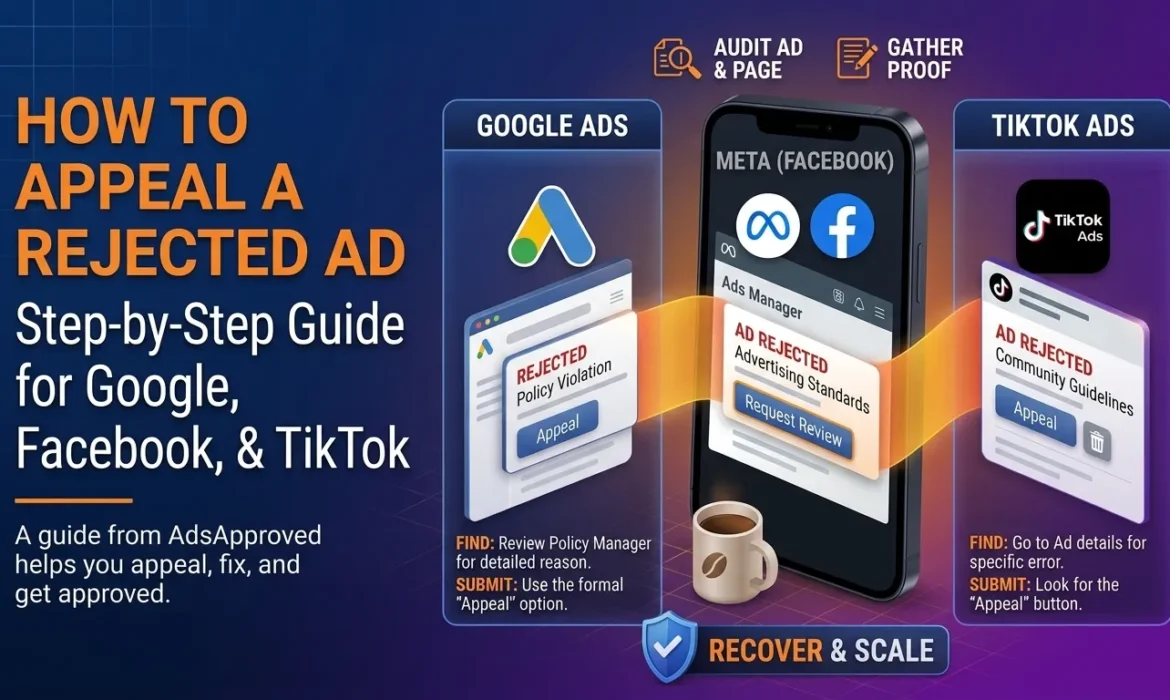
- Google Ads: Open the Policy manager. It shows the disapproval reason, the policy name and which ads are affected.
- Meta (Facebook and Instagram): Check the notification in Ads Manager and the Account Quality or Business Support Home area. It lists rejected ads and the policy cited.
- TikTok: Go to the ad in TikTok Ads Manager. The rejection reason and policy category are shown next to the ad.
Write down the exact policy name. You’ll use it in your appeal, and it keeps you from arguing about the wrong thing.
A quick example. Say you sell skincare. Your ad gets rejected for “personal attributes.” You’d assumed it was about the product, but the headline read “Tired of your acne scars?” That’s a classic trigger, because it implies you know something about the viewer. Now you know what to fix or what to argue.
Step 2: Audit the Ad and the Landing Page
Platforms review both. Plenty of rejections happen because of the page, not the ad.
- Do the claims in the ad match what’s on the page?
- Are there promises you can’t back up, such as guaranteed results or miracle language?
- Is there a clear business name, contact info, privacy policy and refund policy?
- Does the page load properly, with no broken links or surprise pop-ups?
- Are required disclosures there for your category (health, finance, and so on)?
- Are there certifications or licenses required for what you sell?
Fix anything that fails. Then you can appeal with a clean page behind you, which makes a huge difference.
Step 3: Submit the Appeal Through the Official Channel
Each platform has its own route. The names change from time to time, so check what you see in your account.
How to appeal on Google Ads
- Open the Policy manager and find the disapproved ad.
- Check the policy and the reason shown.
- Edit the ad or landing page if needed, so it complies.
- Choose the option to appeal the decision and follow the prompts. If you fixed the problem, resubmit the ad instead.
- For restricted categories, you may need to apply for certification or verification first.
How to appeal on Facebook and Instagram
- Open Ads Manager and find the rejected ad.
- Click the option to request a review.
- Explain briefly why you believe the ad follows the Advertising Standards, if there’s a field for it.
- Check Account Quality afterward to see the result.
If the account itself is restricted, not just one ad, work through that review process as well. Our guide on a disabled Facebook ad account covers it.
How to appeal on TikTok
- Open TikTok Ads Manager and find the rejected ad.
- Look for the appeal option next to the rejection reason.
- Submit your appeal with a short explanation and any supporting details.
- Watch your notifications for the outcome.
If you’re not offered an appeal button, the ad may need to be edited and resubmitted instead, or the decision may be final.
Step 4: Write an Appeal That Actually Gets Read
Reviewers go through a huge volume of these, so make it easy for them.
Keep it short. A few clear sentences beat a wall of text.
Name the policy. Show that you understand which rule is in question.
Say what you did. If you changed the ad or page, say so. If you believe the rejection was a mistake, explain why in one or two lines.
Stay calm. Anger, threats and sob stories don’t help. Polite and factual does.
Be honest. Never claim you made changes you didn’t make. If the reviewer checks and sees something different, you lose credibility fast.
Here’s a template you can adapt:
Hello, my ad was rejected under [policy name]. I’ve reviewed the policy and believe the ad complies because [short reason]. I’ve also updated the landing page to include [clear contact information / refund policy / required disclosure]. The product is [brief description], and the claims in the ad are accurate. I’d appreciate a review of this decision. Thank you.
Notice how little drama there is. That’s intentional.
Step 5: Back It Up With Evidence
Words help, but proof helps more. Depending on your business, evidence might include:
- Business registration or license documents
- Product certifications or lab testing
- Screenshots of your updated landing page
- Proof of ownership of your domain and brand
- Clear pricing and refund terms
Only submit what’s relevant. A short, organized set of proof beats a data dump.
Step 6: Wait, Then Follow Up the Right Way
Give it time. Review times vary by platform and by case.
Don’t resubmit the same appeal repeatedly. Spamming rarely speeds things up and can make the case messier.
Check your email and account notifications. Platforms sometimes ask for more information, and missing that request can sink an otherwise solid appeal.
If it’s denied, read why. The response often tells you what to fix. Use it.
Common Reasons Appeals Fail
- The ad really did break the policy, and nothing was changed
- The landing page still has the problem
- The appeal was vague or emotional
- The same ad was resubmitted again and again with tiny tweaks
- The advertiser tried to hide or disguise content from reviewers
That last one is the dangerous one. Trying to show reviewers something different from what real visitors see violates every major platform’s rules, and it can turn a simple rejection into a suspended account. If you’re curious about how that plays out, read our comparison of cloaking and compliant landing pages.
What to Do If Your Appeal Is Rejected
It’s disappointing, but it isn’t always the end.
Fix the underlying issue properly. Use the feedback to rework the ad and page, then submit a new, compliant version.
Consider a different angle. If a specific claim keeps getting flagged, try a different message that doesn’t depend on it.
Check whether your category needs certification. Some products can only run in certain regions or after approval.
Ask for a second opinion. A policy review from someone who works with these platforms can spot things you’ve stopped seeing.
Accept when it’s a no. Some products simply aren’t allowed on certain platforms. In that case, put your effort into channels with different rules, such as SEO, email or partnerships.
How to Avoid Rejections in the First Place
- Learn the policies for your category before you build the ad
- Keep claims honest and provable
- Make sure the ad and the page tell the same story
- Keep contact details, policies and disclosures easy to find
- Don’t resubmit rejected ads with random tweaks, since each rejection leaves a record
- Check your account health regularly, so warnings don’t pile up
FAQs
How long does it take to appeal a rejected ad?
It depends on the platform and the case. There’s no guaranteed timeline, so avoid sending duplicate appeals while you wait.
Can I appeal a rejected ad more than once?
Often you can, but only if something has changed or you have new information. Repeating the same appeal rarely works.
What if I can’t find an appeal button?
Some rejections only allow you to edit and resubmit the ad. Check the notice for options, and review the platform’s help pages for your specific case.
Will appealing hurt my account?
A well-reasoned appeal doesn’t harm you. What can hurt is a pattern of repeated violations or attempts to get around review.
Is it better to edit the ad or appeal?
If the ad broke the rule, edit and resubmit. If you’re confident it complied, appeal. When you’re unsure, fix first.